A Beginner's Guide to Streaming: How to Start and Grow Your Audience
Every big streamer you watch started with zero viewers, a basic setup, and a whole lot of uncertainty. The barrier to entry for live streaming has never been lower — free software, affordable gear, and multiple platforms competing for new creators mean there's genuine room for anyone willing to put in consistent effort. This guide walks you through everything from picking a platform to going live for the first time and building an audience that keeps coming back.
Why Streaming Is Worth Starting Now
Streaming is one of the most accessible ways to share your passion for games and connect with people who care about the same things you do. You don't need a production budget or a massive following to get started — you need a game, a plan, and the willingness to show up regularly.
The live format has something recorded video can't replicate: real-time interaction. When a viewer types in your chat and you respond, that moment creates a connection that keeps people coming back. That's the core engine behind channel growth, and it costs nothing to develop.
Beyond the social side, streaming builds skills that transfer well — public speaking, community management, basic video production. And yes, there's real monetization potential down the road, though treating early streams as a business is the fastest way to burn out before you find your footing. Start because you enjoy it. The rest follows from there.
Choosing the Right Platform for Your Goals
The three dominant options for gaming streams are Twitch, YouTube Live, and Kick — each with a different audience, discoverability model, and monetization threshold.
Twitch is still the default for game streaming. Its community is deeply gaming-focused, its discoverability through category browsing is well-established, and the affiliate program (which unlocks subscriptions and bits) is reachable at 50 followers and a handful of average concurrent viewers. The trade-off is that popular game categories are brutally competitive for small channels.
YouTube Live has a significant advantage that Twitch doesn't: your streams become searchable VODs. A good live session can keep pulling in views for months after it ends. Monetization thresholds are higher (1,000 subscribers and 4,000 watch hours for the Partner Program), but the long-term content value is hard to ignore. If you plan to build a YouTube channel alongside streaming, this is the natural home.
Kick is the newest of the three and offers the most creator-friendly revenue split (95/5 compared to Twitch's standard 50/50). Its audience is smaller but growing, and discoverability for new streamers is arguably easier right now simply because there's less competition. It's worth watching as a secondary platform at minimum.
For most beginners, Twitch is the safest starting point purely because of community size and gaming culture fit. But if you're already creating YouTube content or plan to, launching there makes more strategic sense.
The Gear and Software You Actually Need
A workable beginner setup costs less than most people expect. The non-negotiables are a capable PC or console, a decent microphone, and free streaming software. Everything else is optional at the start.
PC and Console Requirements
For PC streaming, a mid-range machine with at least an Intel Core i5 or AMD Ryzen 5 processor and 8GB of RAM can handle most games at 1080p/60fps while encoding a stream simultaneously — though 16GB RAM makes the experience noticeably smoother. Console streamers on PS5 or Xbox Series X can broadcast directly to Twitch or YouTube without a capture card, which removes the PC requirement entirely for getting started.
Microphone
Audio quality matters more than video quality. Viewers will tolerate a lower-resolution stream, but they'll leave if the audio is distracting. A USB condenser microphone like the Blue Snowball or the HyperX SoloCast sits in the $50–$70 range and delivers results that are genuinely good. You don't need an XLR setup, an audio interface, or a broadcast boom arm to start.
Webcam and Overlay
A webcam is optional but adds a human element that helps viewers connect with you. If you have a modern smartphone, a free app like DroidCam or Camo can use it as a webcam. For overlays and alerts, StreamElements offers free templates that cover the basics without any design skills required.
Streaming Software: OBS Studio
OBS Studio is free, open-source, and the industry standard for a reason. It handles scene switching, audio mixing, gameplay capture, and stream output to any platform. There's a learning curve, but the core setup takes under an hour to figure out.
Setting Up Your Stream for the First Time
Getting your first stream live is a matter of connecting OBS to your platform, configuring a few key settings, and pressing the button. Don't wait until everything looks perfect — it never will on stream one.
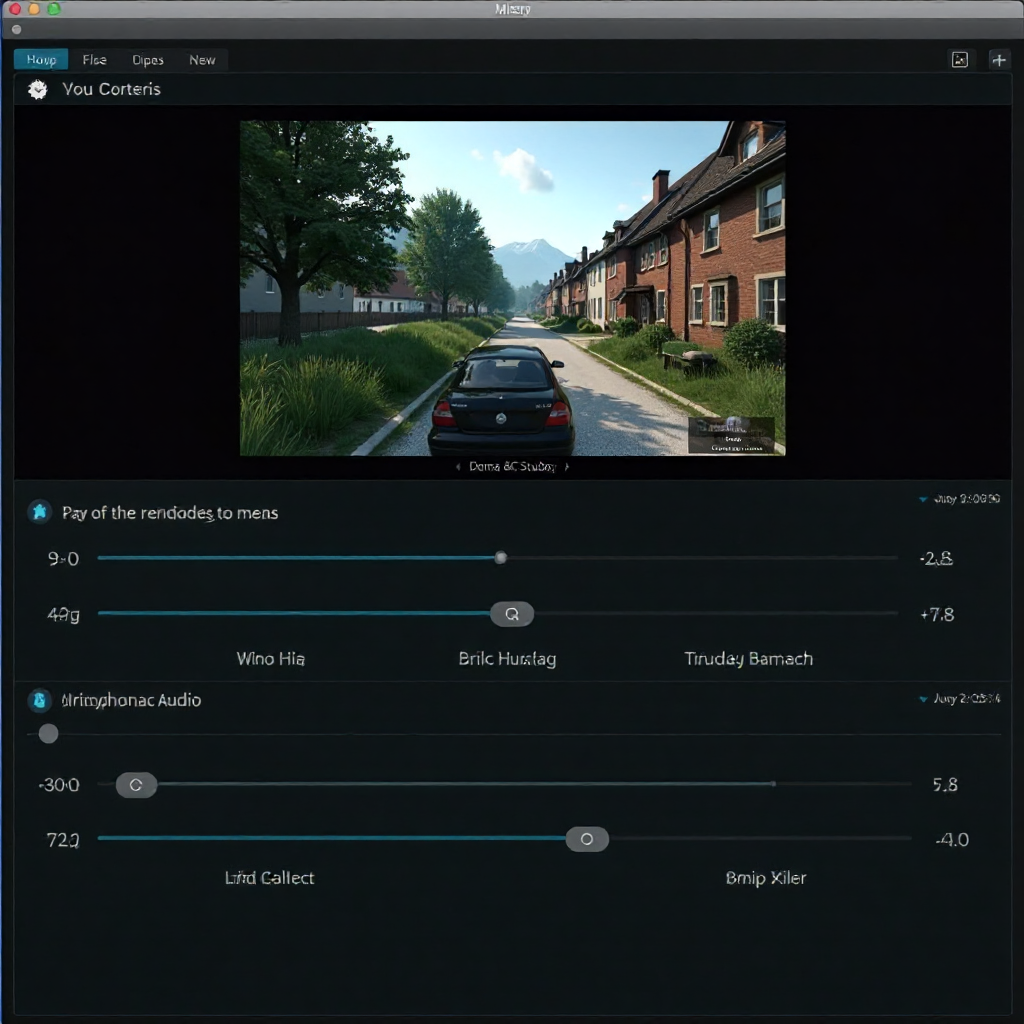
Configuring OBS
Download OBS from obsproject.com and run the auto-configuration wizard, which will recommend output settings based on your hardware. In the settings menu, go to Stream, select your platform, and paste in your stream key (found in your platform's dashboard). That's the core connection done.
Setting Bitrate
Bitrate controls stream quality and is directly tied to your upload speed. A safe starting point is 3,000–4,500 kbps for 1080p/30fps. If your internet upload speed is under 10 Mbps, drop to 720p/30fps at 2,500 kbps to avoid buffering for viewers. Go to Settings → Output → Encoding in OBS to adjust this.
Scenes and Overlays
Create two basic scenes in OBS: one for gameplay (game capture + microphone + optional webcam) and one for a simple "Be Right Back" screen. Import a free overlay from StreamElements or keep it minimal with just your webcam and a clean game feed. Overthinking visual design at this stage is a distraction from actually going live.
How to Make Your Stream Worth Watching
The technical setup gets you on air. What keeps people watching is your personality, your energy, and how you handle the silence between action moments. These soft skills are what separate forgettable streams from ones people bookmark.
The biggest mistake new streamers make is going quiet when nothing is happening in the game. Dead air kills retention. Practice narrating your thought process out loud — what you're planning to do, why a moment was funny, what you think about the game's design. It feels awkward at first. It gets natural fast.
Chat engagement is the highest-leverage thing you can do when you have a small audience. Read every message. Use the viewer's name when you respond. Ask questions back. When your chat feels seen, those viewers become regulars, and regulars are how channels grow.
Choosing a content niche also matters earlier than most people think. Streaming everything makes it hard for potential followers to know what you're about. You don't have to lock yourself into one game forever, but having a clear angle — speedrunning, horror games, co-op play with friends — gives your channel a reason to exist in a viewer's mind.
Growing Your Audience: Consistency and Community
Audience growth comes from showing up regularly and making it easy for people to find and share your content. Virality is rare; compounding consistent effort is not.
A streaming schedule is the single most underrated growth tool. When you stream at the same times each week, viewers can plan around you. Three to four sessions per week is a realistic starting cadence that builds momentum without leading to burnout. Post your schedule in your channel bio and pin it in your Discord if you have one.
Clips are your most valuable growth asset off-platform. A 30-second funny or impressive moment from your stream, posted to TikTok, YouTube Shorts, or Twitter, can reach people who would never find you through Twitch browse. OBS records locally by default — review footage after streams and pull the best 2–3 moments.
Building a Discord server early creates a space for your community between streams. It doesn't need to be active from day one, but having it ready means that when a viewer wants to stay connected, there's somewhere to go. Community retention at that level is what turns occasional viewers into genuine fans.
One honest caveat: early growth is slow, and that's normal. Most channels take six to twelve months of consistent streaming before seeing meaningful momentum. The streamers who make it aren't necessarily the most talented — they're the ones who didn't quit during the slow phase.
When and How to Start Monetizing
Monetization becomes realistic once you have a consistent audience, not before. Chasing revenue with 10 viewers leads to decisions that damage the viewer experience and slow growth.
On Twitch, the Affiliate program is the first milestone — it unlocks channel subscriptions, Bits (Twitch's virtual currency), and a share of ad revenue. Requirements are 50 followers, an average of 3 concurrent viewers, and 500 total minutes broadcast across 7 unique broadcast days in a 30-day period. It's achievable within a few months for a consistent streamer.
Donations via StreamElements or StreamLabs are available immediately regardless of platform status — many small streamers receive their first income this way before hitting affiliate thresholds.
Brand deals and sponsorships become realistic at higher follower counts (typically 1,000+ engaged viewers), but gaming peripheral brands and indie game developers occasionally work with smaller channels. The key is having a genuine niche and engaged community rather than raw follower numbers.
Treat the first year of streaming as an investment in skills and community, not a revenue source. The streamers earning consistent income aren't the ones who optimized for money early — they're the ones who built something worth watching first.
Frequently Asked Questions
What is the best streaming platform for beginners?
Twitch is the best starting platform for most beginners because of its large gaming-focused audience and accessible affiliate program. If you're already building a YouTube presence, YouTube Live is worth choosing instead for its VOD discoverability advantage.
Do I need an expensive PC to start streaming?
No. A mid-range PC with a Ryzen 5 or Core i5 processor and 8–16GB of RAM handles most games and a 720p/1080p stream simultaneously. Console streamers on PS5 or Xbox Series X can broadcast without a PC at all using built-in streaming features.
How often should I stream to grow my channel?
Three to four times per week at consistent, scheduled times is a practical starting target. Regularity matters more than frequency — two streams per week on the same days beats seven streams in one week followed by two weeks of silence.
How long does it take to get monetized on Twitch or YouTube?
Twitch Affiliate is reachable in two to four months for a consistent streamer. YouTube monetization (Partner Program) typically takes longer — anywhere from six months to over a year depending on your upload consistency and niche. Neither timeline is guaranteed.
What games should I stream to get more viewers?
Mid-sized game categories on Twitch tend to offer the best discoverability balance — popular enough to have viewers browsing but not so saturated that new channels are invisible. Newly released indie games, niche genres like survival or tactics, and games you genuinely enjoy playing are better bets than chasing the top viewer-count categories dominated by established streamers.